AI Summarization at Work: PDF Use Cases and Tips for Translating Foreign Documents
Where AI Summarization Pays Off at Work: PDF Use Cases and Tips for Translating Foreign Documents
At work, it's common to feel that reading through stacks of PDF documents for internal research, contract reviews, and the like eats up a lot of your time. The load grows heavier still when you have to translate as you go, as with documents from overseas partners or English-language specifications.
For challenges like these, putting AI summarization to use can sometimes cut the time spent reading documents and organizing information by a wide margin.
Here, we walk through concrete ways to use AI to read PDFs and foreign documents more efficiently, how to combine it with translation, and how to save and make use of the summaries you produce. If your job often involves large volumes of PDFs, this is worth a read.
TimTim Browser: Summarize Huge PDF Documents with AI
TimTim Browser, developed by TimTim Pte. Ltd., is the first AI browser of its kind (based on our research) to fully automate the summarization of web pages, videos, books, and PDFs.
Browsers have always focused on shaving off the "1% of the time" it takes to load a page. TimTim Browser instead cuts down the other 99% of your time: the part you spend actually looking at content and understanding it.
It works on iPhone, iPad, and Android, and lets you tap into AI summaries while you browse as you normally would. Basic use is free, and the paid Subscription comes with a three-day free trial, so anyone can try it without commitment.
What's especially useful at work is the multilingual translation and summarization. It auto-translates content from over 100 languages and shows summaries in 54 of them. That makes it well suited to overseas dealings and research, and using AI summaries can save you more than 60 minutes a day. It also converts the time you save into a monetary value based on your hourly rate, which you can track on daily, monthly, and annual dashboards. If you like to see efficiency gains in concrete numbers, it's a handy way to make the results of your efforts visible.
On privacy, the app is explicit that it does not collect your personal browsing data, so it's designed to be used with a degree of confidence even when handling sensitive internal materials or contract-related documents.
If you regularly handle PDF documents or foreign-language materials at work, take a closer look at what TimTim Browser can do.
Where AI Summarization Pays Off at Work
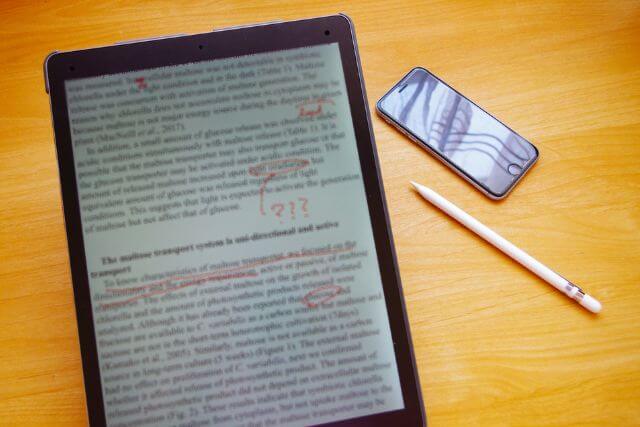
At work, reading through huge PDF documents and specialized files tends to swallow a great deal of time.
Here are three of the most common ways to bring AI summarization into your day-to-day work.
Pull only the key points from a massive PDF
Reading a long PDF from the top, such as an internal report or a proposal from a partner, can burn through plenty of time on its own. With AI summarization, you can grasp the key points, like the conclusion and the important figures, in a fraction of that time. It also makes it easier to decide efficiently whether a given document is worth reading in detail.
When you need to review several documents side by side, being able to compare their contents quickly is another big help. That said, for anything that informs a decision, it's best to confirm the original text.
Pinpoint the parts of public documents and white papers worth reading
White papers published by industry bodies or government agencies are dense, and it takes time to find the section you're after. With AI summarization, you can get a rough sense of what each chapter covers and then narrow in on the parts that warrant close reading.
Even when you don't have time to read the whole thing, one benefit is that you can keep your research moving while lowering the risk of missing something important.
Structure dense material like academic papers and technical specs on the web
When you read a paper or technical specification full of jargon without enough background knowledge, it takes time to follow. AI summarization lets you see the material laid out by structure, such as objective, method, and conclusion, so you can grasp the big picture before working through the body text.
For documents in English or other foreign languages, pairing it with translation lowers the language barrier too, broadening how far you can take your global information gathering.
Tips for Making the Most of AI Summarization When Translating PDFs and Foreign Documents

Reading foreign documents takes even more time and effort than domestic ones, thanks to the language barrier.
Here are three concrete tips for pairing AI summarization with translation.
Grasp a foreign PDF in your own language without the layout breaking
PDFs downloaded from overseas sites can become hard to read when translation throws off the layout of figures, tables, and columns.
With AI summarization, the document's content is extracted and organized as text regardless of layout, so you can take in the key points in your own language without worrying about formatting glitches. It's a useful approach when you want to focus on the content itself rather than how a document looks.
Translate and summarize at once to make sense of dense English documents fast
Legal documents, contracts, and technical specs are full of specialized wording that isn't exactly plain even to native English speakers, and a literal translation can leave the meaning hard to follow.
AI summarization can condense the original while rendering it in natural language that reads well in a business setting. Because it handles translation and summarization at the same time, it spares you the two-step routine of translating first and then organizing.
Read multilingual web resources in one pass to speed up global research
In global market or competitive research, you sometimes want to consult materials and news written not only in English but in local languages. AI summarization cuts the hassle of switching translation tools by language and makes it easier to take in the key points of web resources across several languages at once.
Since you don't have to limit your sources to a single language, you can broaden the scope of your research while keeping the time it takes in check.
How to Save Your AI Summaries
How you save and organize a summary makes a big difference to how usable it is later on.
Here are two ways to keep your research in a form that's easy to draw on down the line.
Stock the contents of researched PDFs as searchable text
Simply skimming an AI summary on the spot makes it harder to dig up the information you need later. If you save the summary as text in a notes app or a document, a keyword search gets you straight to what you're after.
Recording tags and headings such as the document name, the date you researched it, and the topic helps you keep your accumulated information neat and well organized.
TimTim Browser: reach the information you need in an instant with favorites
For pages and documents you refer to often, the effort of searching and reopening them each time adds up and can cost you more time than you'd expect. Using bookmarks and favorites shortens the steps to reach the information you need, so you can keep working without breaking your research flow.
TimTim Browser is a browser app that brings AI summarization, bookmarks, and private browsing together in one place. From reviewing summaries to saving favorites, if you want to manage the whole information-gathering flow in one app, download it and put it to use.

Q&A: AI Summarization of PDF Documents
- Q1. What kinds of work situations is AI summarization good for?
- A. It's useful for pulling the key points from PDFs like internal reports and proposals, pinpointing which parts of a white paper to read, and structuring academic papers and technical specs. When you don't have time to read a document in full, it serves as a cue for judging what to prioritize.
- Q2. What are the benefits of using AI summarization to translate foreign documents?
- A. Even with PDFs whose layout breaks easily, it's easier to organize the content as text, and it processes translation and summarization together to cut down on legwork. Because you can read web resources in several languages all at once, it works well for global research too.
- Q3. How should I save and manage the information from AI summaries?
- A. Save summaries as text and record tags such as the document name and the date you researched it, and they'll be easy to find later by keyword. Adding pages you refer to often to your favorites or bookmarks makes the information you need quicker to reach.
More columns on summarizing books, AI, YouTube, PDFs & papers
- Using AI to Summarize Web Articles and Read More in Less Time
- Web Article Summary Tools: Recommended Features and How to Get Started
- Choosing a Web Article Summary App: Benefits and How to Use One
- Summarizing the News with AI: Reading Efficiently While Watching for Bias
- How to Choose a Book-Summary App: Benefits and How to Use One
- How to Judge AI Summary Accuracy — Plus Tips to Read Books Efficiently
- How to Compare Book-Summary Services: Key Points and Pricing
- Using AI Summary Tools to Gather Information from YouTube Effectively
- Recommended YouTube Summary Tool Features and How to Get Started
- Using a YouTube Summary App for Free: Caveats and Tool Integrations
- AI Summarization at Work: PDF Use Cases and Tips for Translating Foreign Documents
- Why Structuring Papers Cuts Reading Time: PDF Summary Accuracy Caveats
- Tips for Using AI Summaries to Read Academic Papers — and Judging Reliability
- Sign-Up Flow for a Web-Style Paper-Summary App and Supported Documents
TimTim Browser: AI Summaries for Huge PDF Documents
| Name | TimTim Browser |
|---|---|
| Contact Form | timtim.app/contact |
| URL | https://timtim.app |